board layout (wsb)
After designing both boards, it was time for layout. I really have to hand it to my teammate Evan here. He's never laid out a board before, so I sat with him throughout the process, giving little hints here and there and he had no trouble routing the CCU board. For his board, we decided to go two layer, since the number of components was much smaller and there wasn't any circuitry that would be affected by poor power supply routing. For the sensor interface board, I decided to do a four layer layout. The extra layers really helped speed up the process (as I didn't have to worry too hard about power or ground connections) and helped me make the board pretty dense.
Here's what Eagle gave me when first generating the board file. This consumed me for about two weeks.
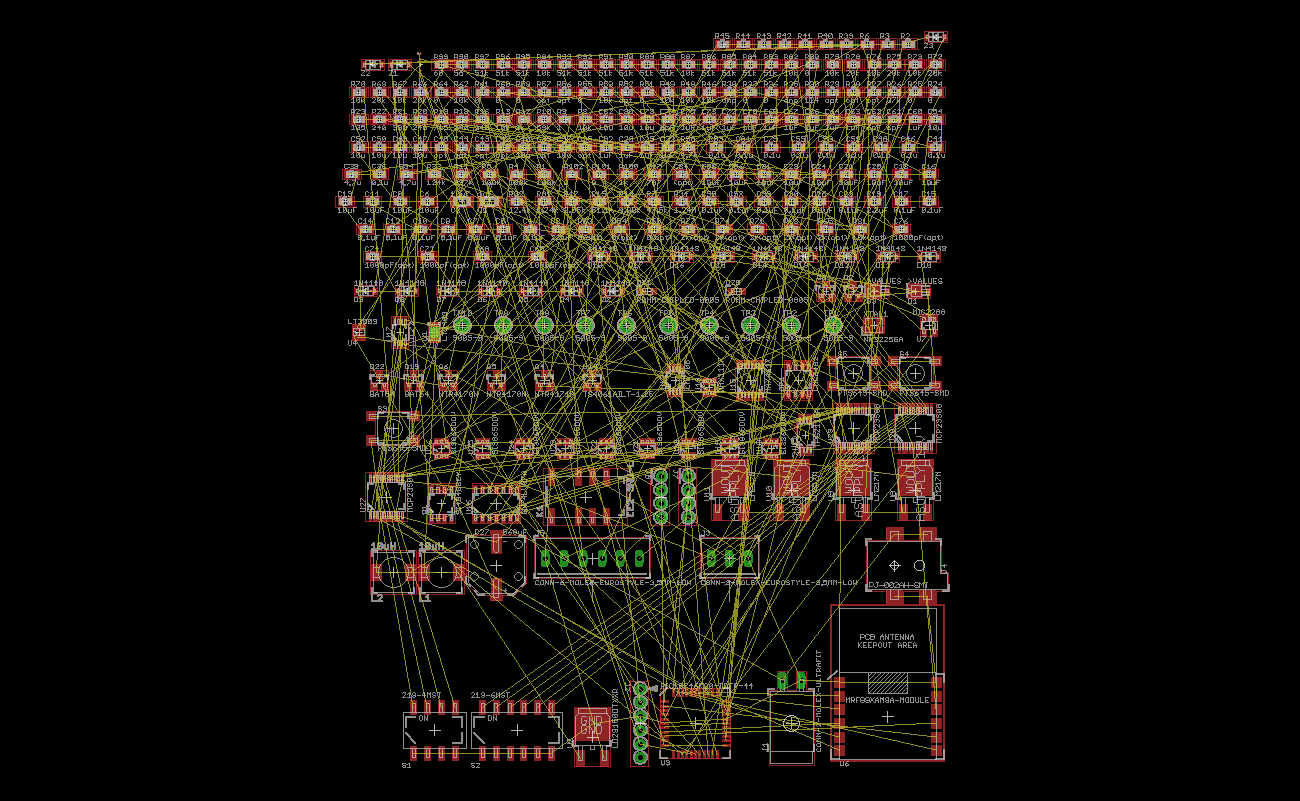
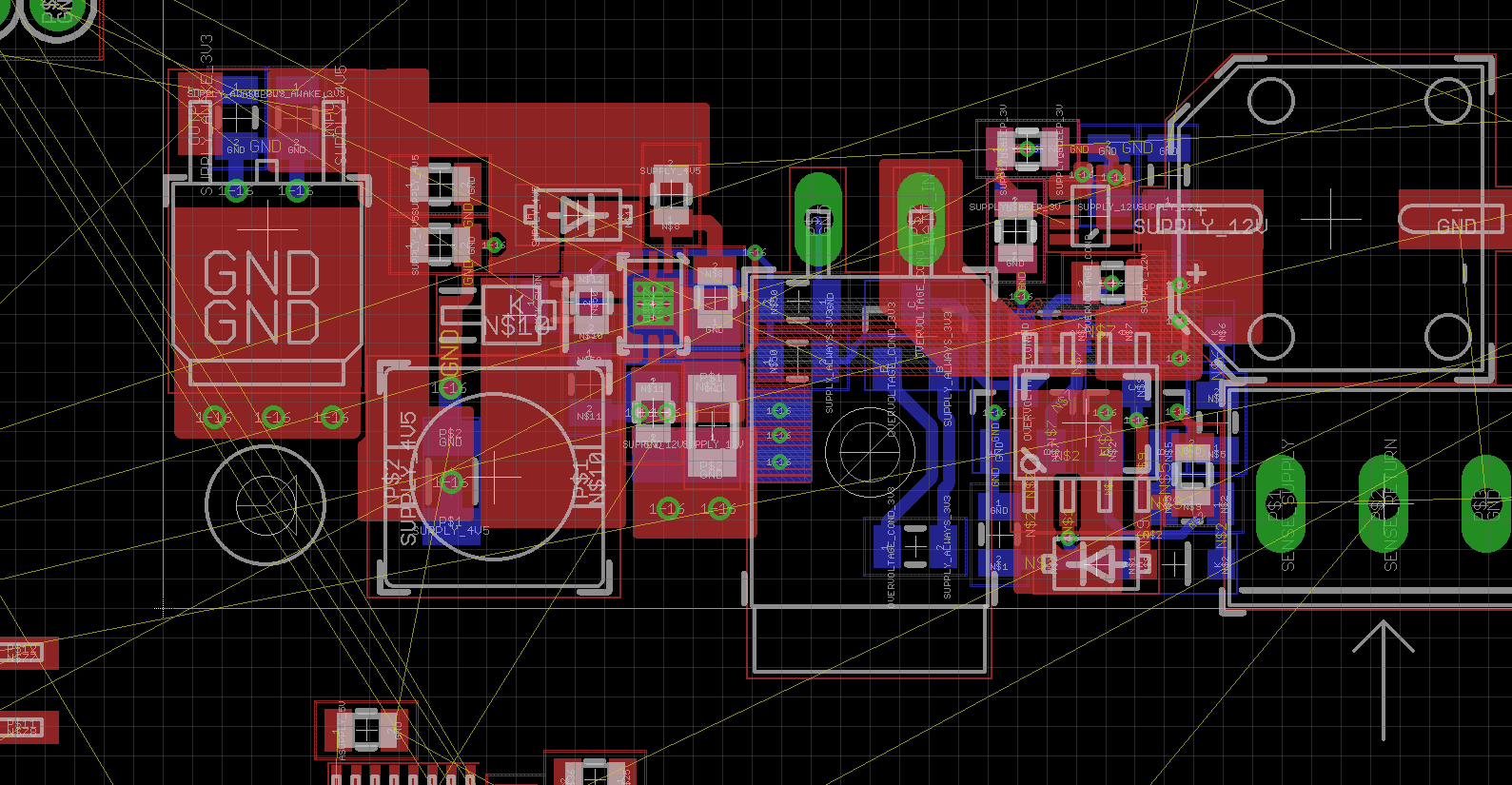
I actually really missed being constrained to a physical size. With the business card board, I knew that I wanted it to be a certain dimension. In this case, the dimension of the board was just whatever I could make it work out to. I basically started in a corner, decided that I wanted all of the connectors on a single edge of the board, and went from there, stacking things in as I could. Before I did any layout, I grouped all of the components together with their nearest logical neighbors on the schematic. This meant I could route bits in little sections and then bring them into the board as a group. Here are some progress photos.
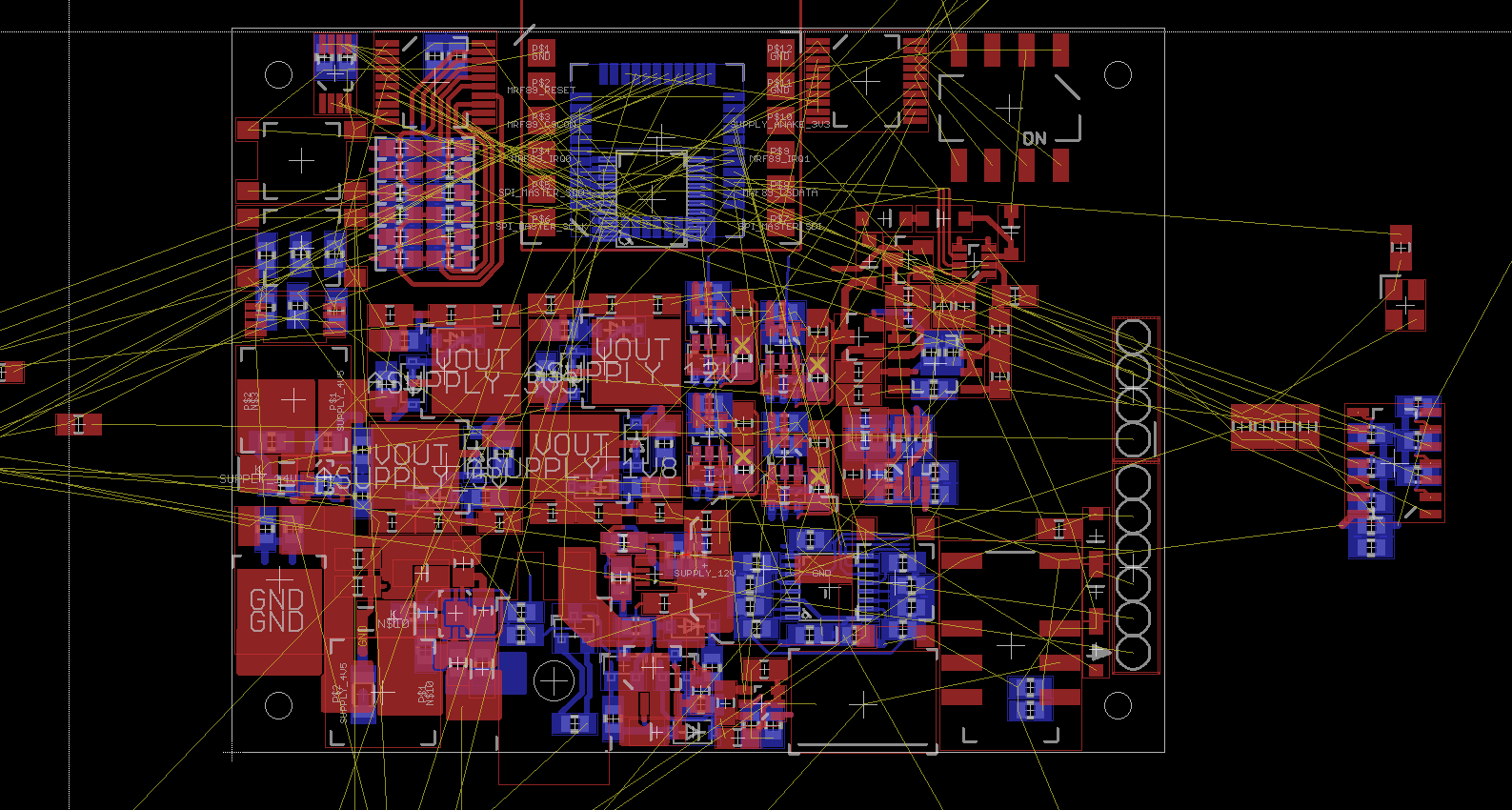
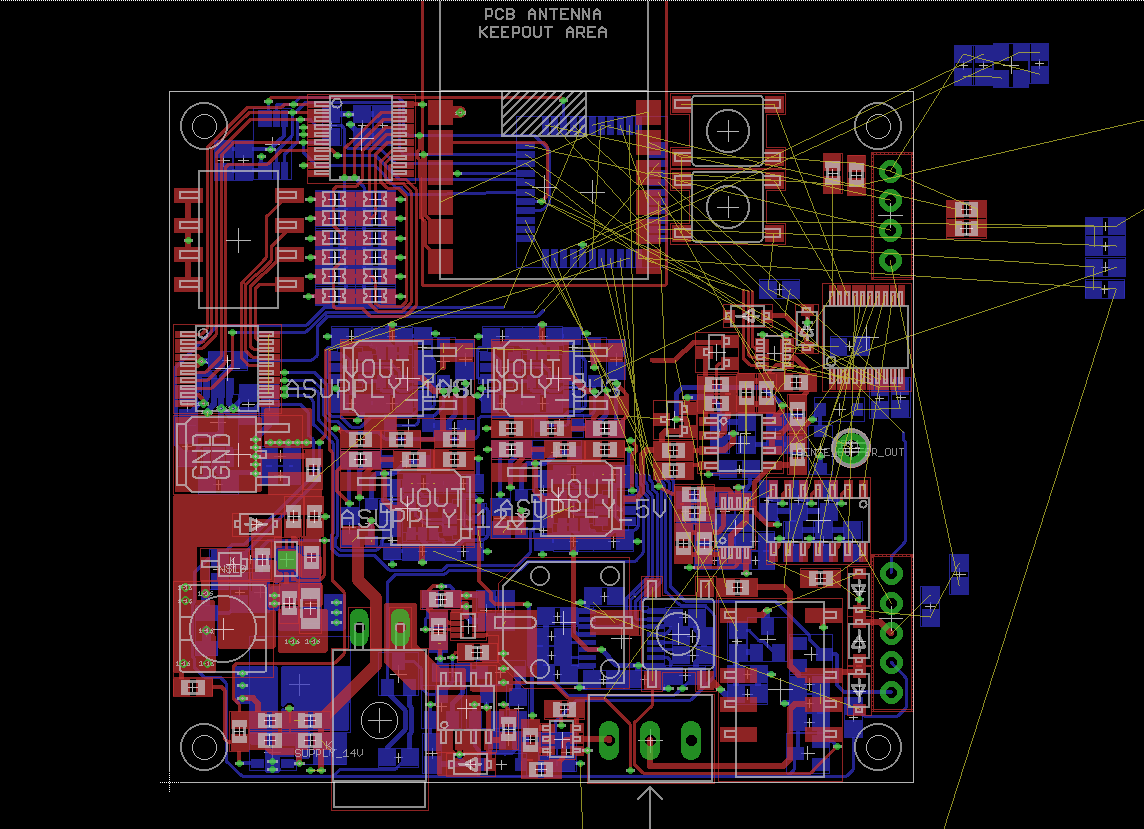
Here's the finished layout. I ended up fitting 400 parts in just under a 2.5 inch square, which I was quite proud of.
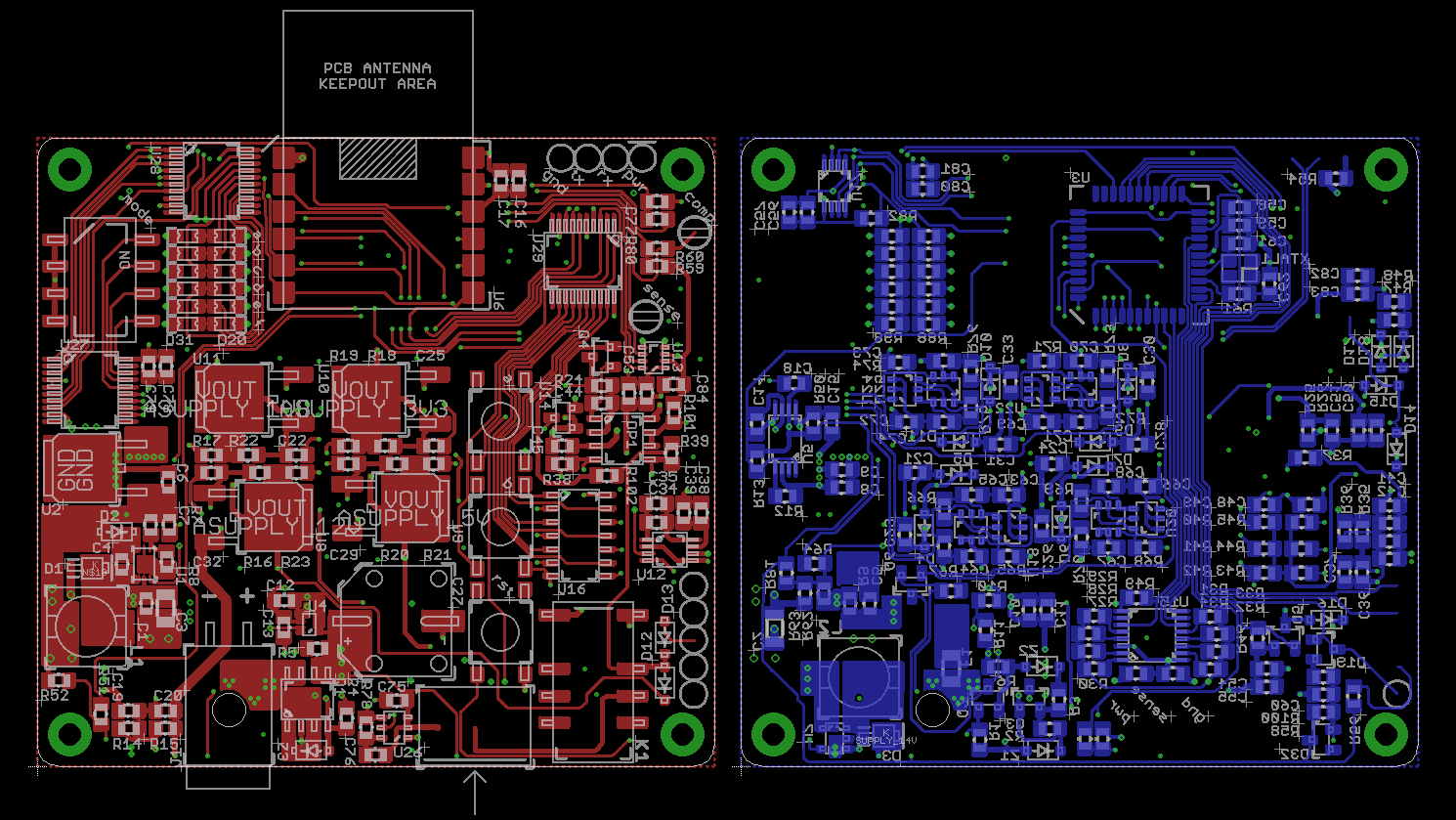
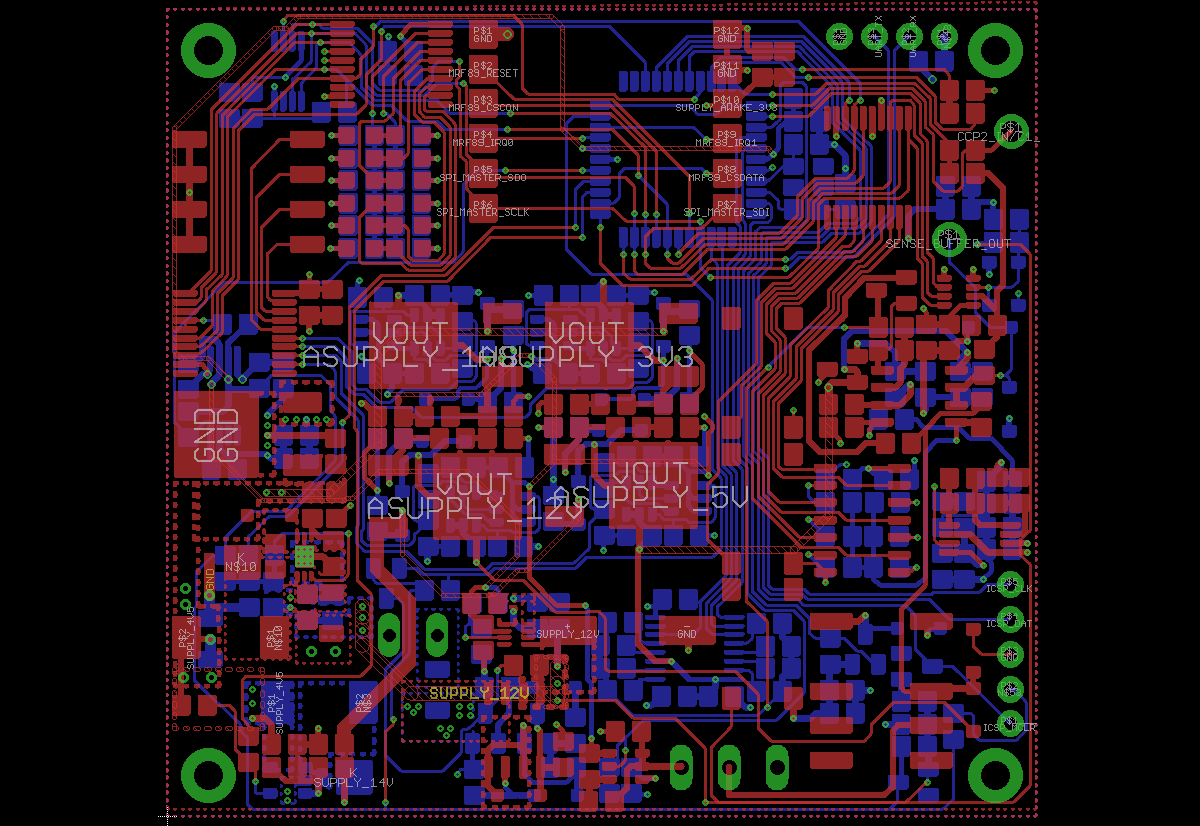
Throughout the layout process, I threw away some of the connectors I had on the board. I originally brought all of the sensor supply voltages out to a connector, but I didn't see much purpose in it after thinking about it for a while. I also removed the DC power jack and kept only the one power connector. I also removed a lot of test points, a decision I sort of regretted while debugging the board.
sending the boards to fab
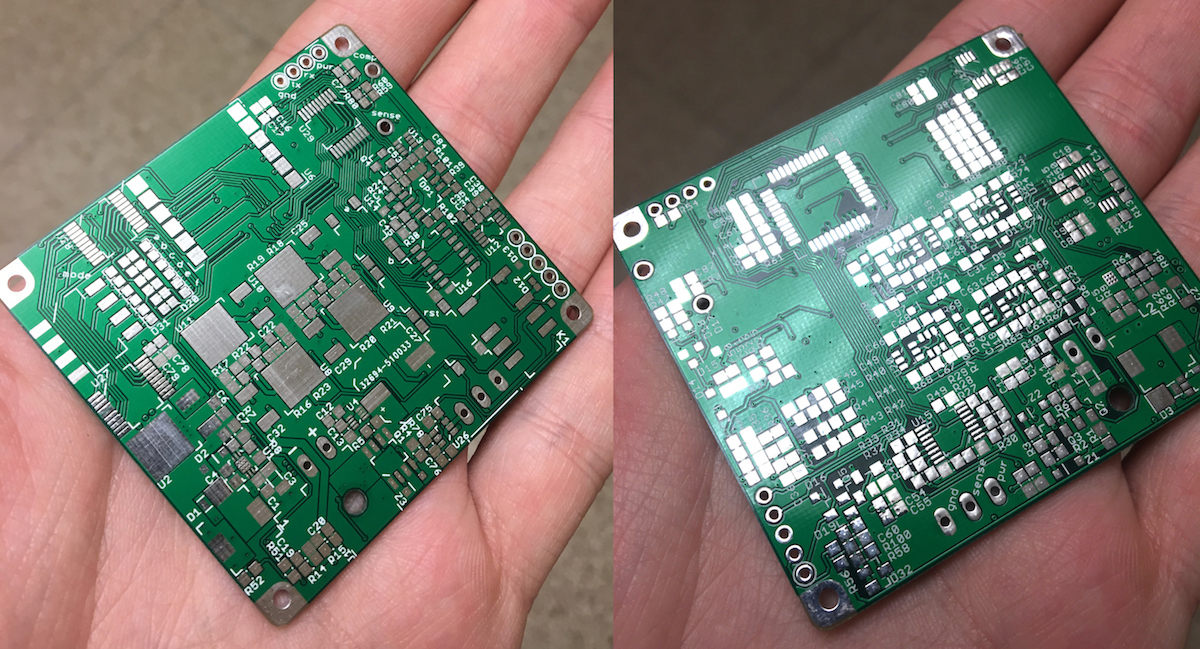
At this point, we had only four weeks or so before the expo, so I was in full crunch-mode. What terrified me was waiting for the boards to come in the mail. OshPark has a rush service for two layer boards, but doesn't have the same option for four layer boards. We went with the rush service from OshPark for the two-layer CCU board, and then I sent the WSB boards to PCB minions at the recommendation of the senior design lab manager (who handles all of the procurement for the teams). I wanted to go with PCB Zone, but unfortunately the senior design ordering guidelines prohibit the use of PayPal, which was the only method of payment available on their website.
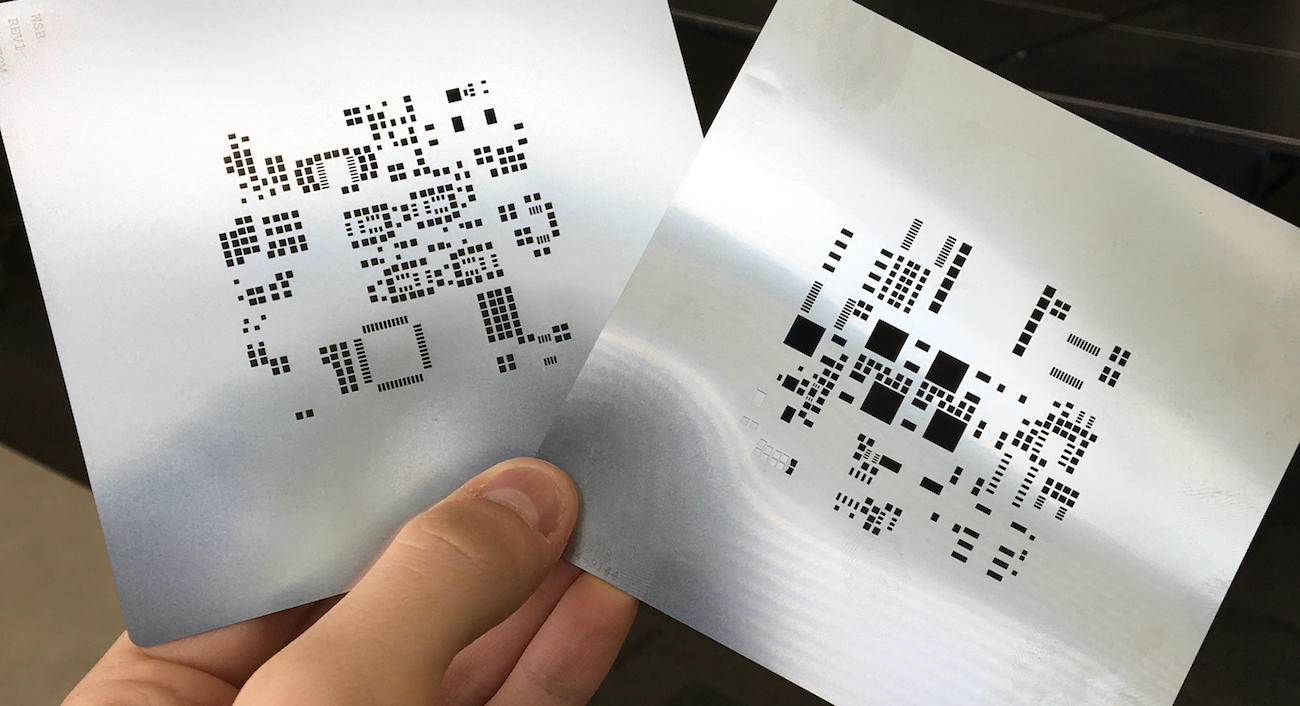
While I was waiting on the boards, I ordered some stencils from OSH Stencils.
ordering the parts
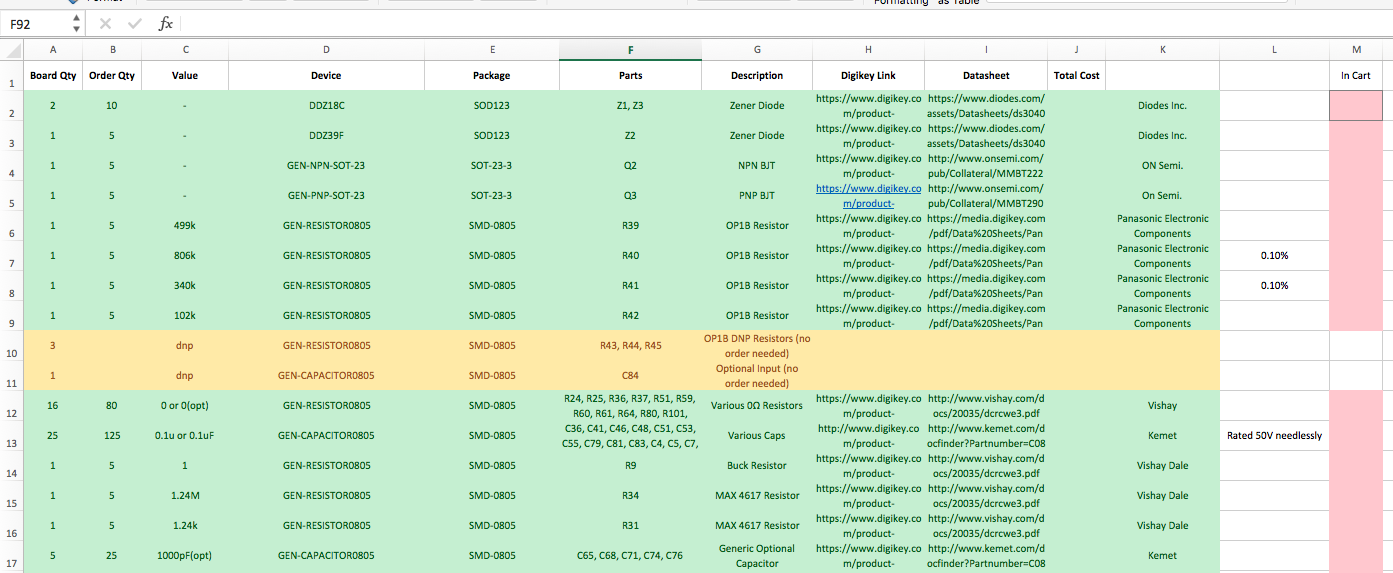
This was a huge effort. We manually combined the auto-generated BOMs from each board, as each shared a good amount of parts. What further complicated the ordering process was parts that had various qualifiers at the end that I didn't specify in the packages I made for the schematic library. I ended up going through each page of the schematic, covering each part with a rectangle when I had confirmed that it was in the BOM and that the value and link to Digikey was correct. I added ordering margin to each part to ensure we had enough if we messed up a few.
Once the spreadsheet was done, actually assembling a Digikey cart was another hurdle. I added the parts one by one, double checking the quantity in each line item. After each part was added to the cart, I colored a square red in the spreadsheet to confirm that I had actually placed the parts into the cart.
assembling the boards
Assembling the boards took a solid week of 12+ hour days in the lab with my group. While I had worked mostly alone on the design of the sensor boards, and with only Evan on the design of the central control board, the entire team came together and really helped get these things together and working.
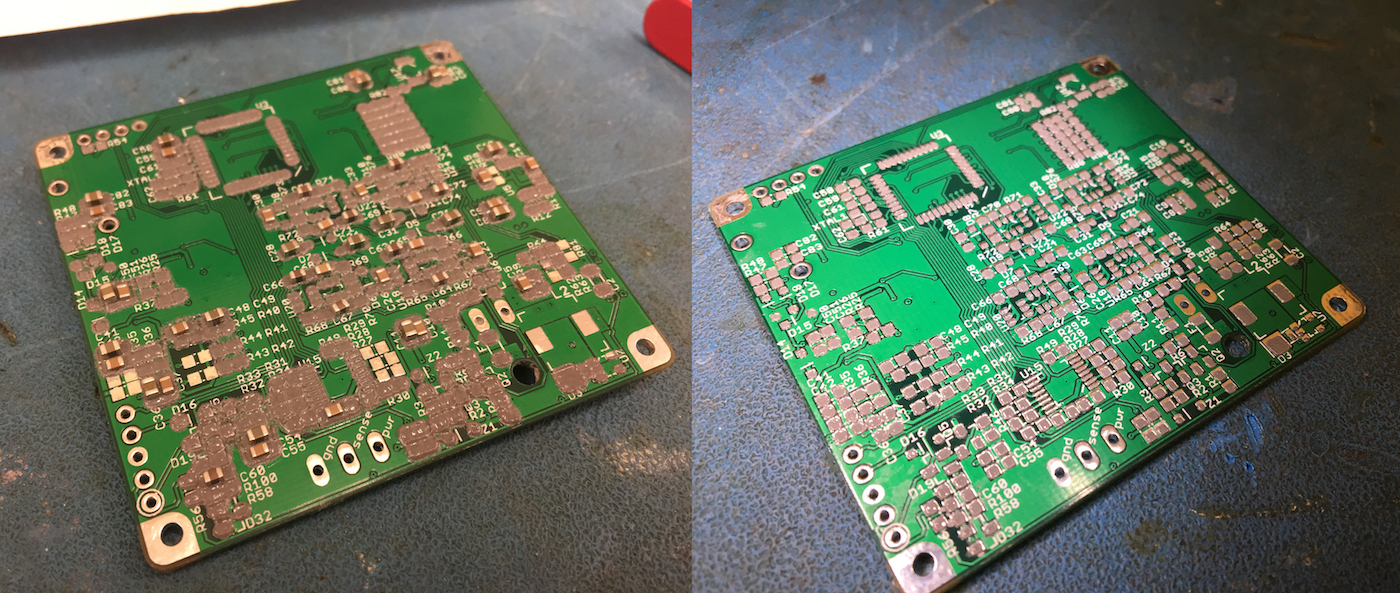
I realized almost immediately that I had made an error in ordering the stencils. There was an incredible amount of bleeding, making the solder paste look more like a contiguous blob rather than distinct rectangles. I realized I forgot to shrink the cream layer in the design rules inside eagle. This meant that the holes in the stencil were the identical in size as the pads. I reordered the stencils, but in the meantime we made it work. You can see the difference below in the two different stencils, old on the left, new on the right.
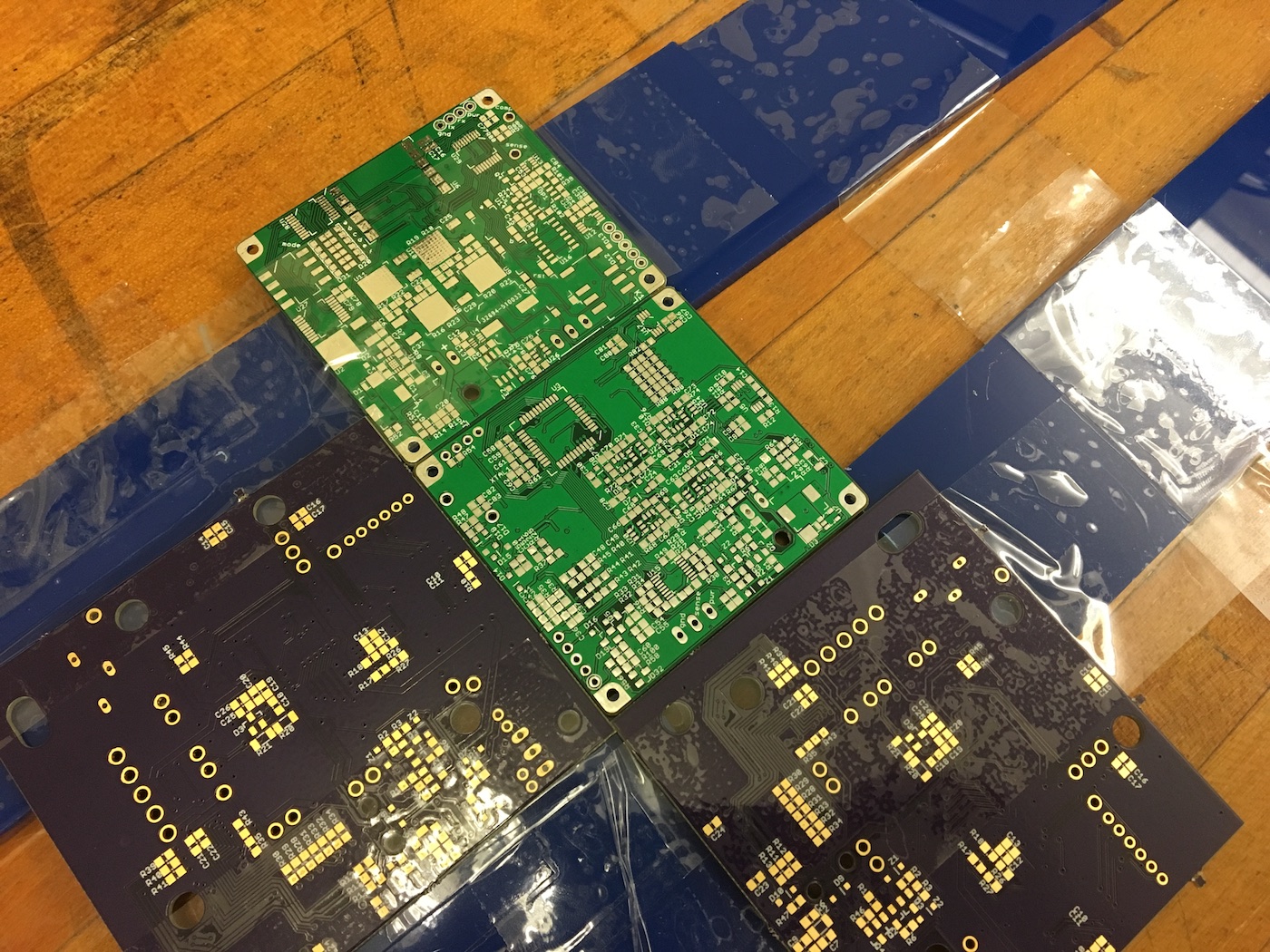
I made this jig out of some pieces of acrylic that were laying around to hold the board off the table while the solder paste was applied to the back side of the board. Pictured are Evan's boards from Oshpark.
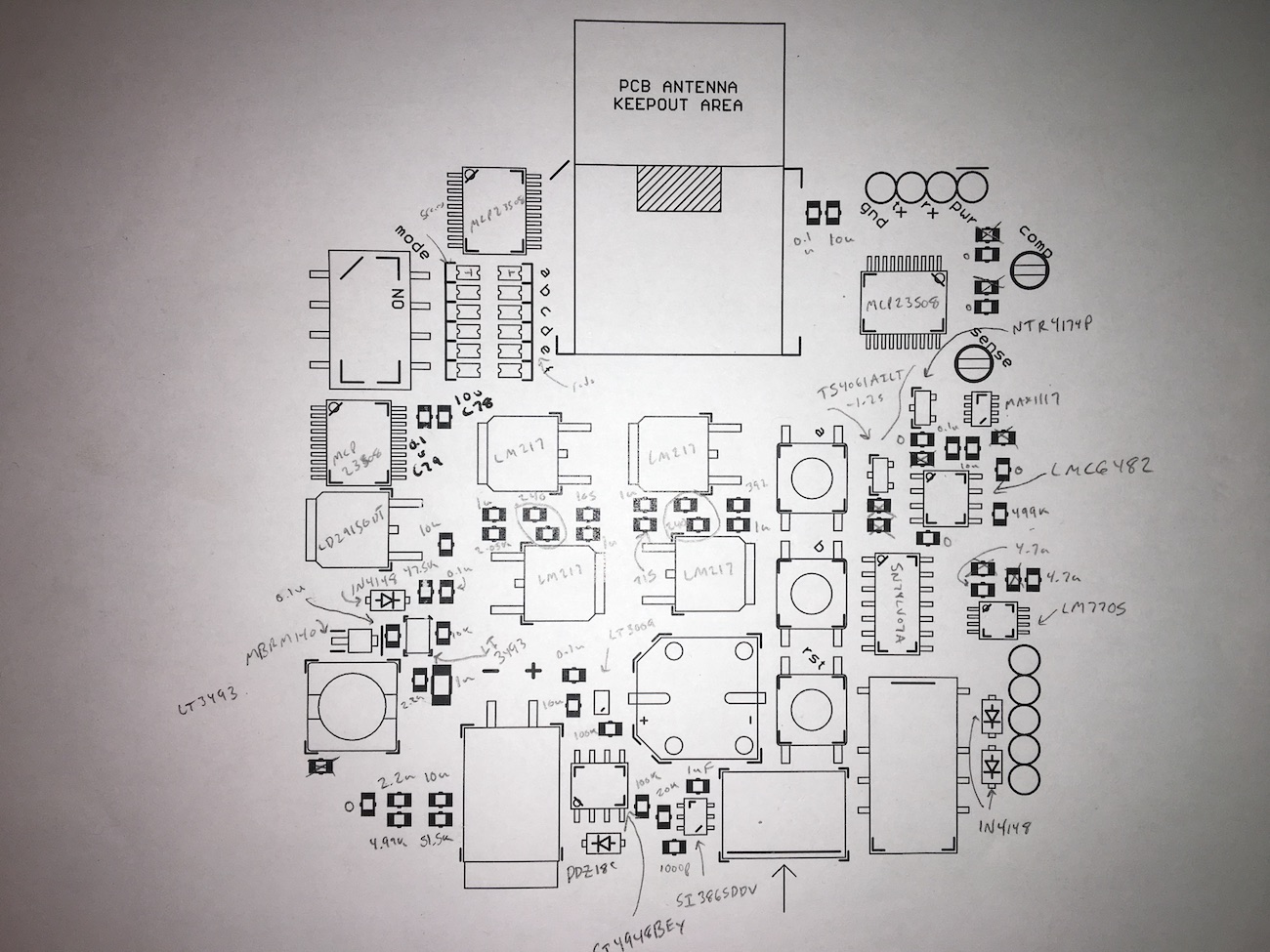
The first bit of the first board took a huge amount of time. For every component I placed, I looked in the board in Eagle, right clicked to get its information, found the component in a box of 200 other bags, took one component out, placed it, ad nasuem. After a few hours of this, I printed out the board and went through and labeled every component with a part number or a value. This way I could take out a capacitor, quickly look around the board for how many others there were, and then place all of them at the same time.
It took a long time, but the boards started to come together, and as my team became more confident in assembling the boards, I switched to working on board bringup of the sensor boards. My teammate Ethan had already been writing a lot of code for the CCU (since we based it around the MBED, a lot of it was breadboard-able), and he switched to ensuring the one CCU board we assembled was fully functioning.
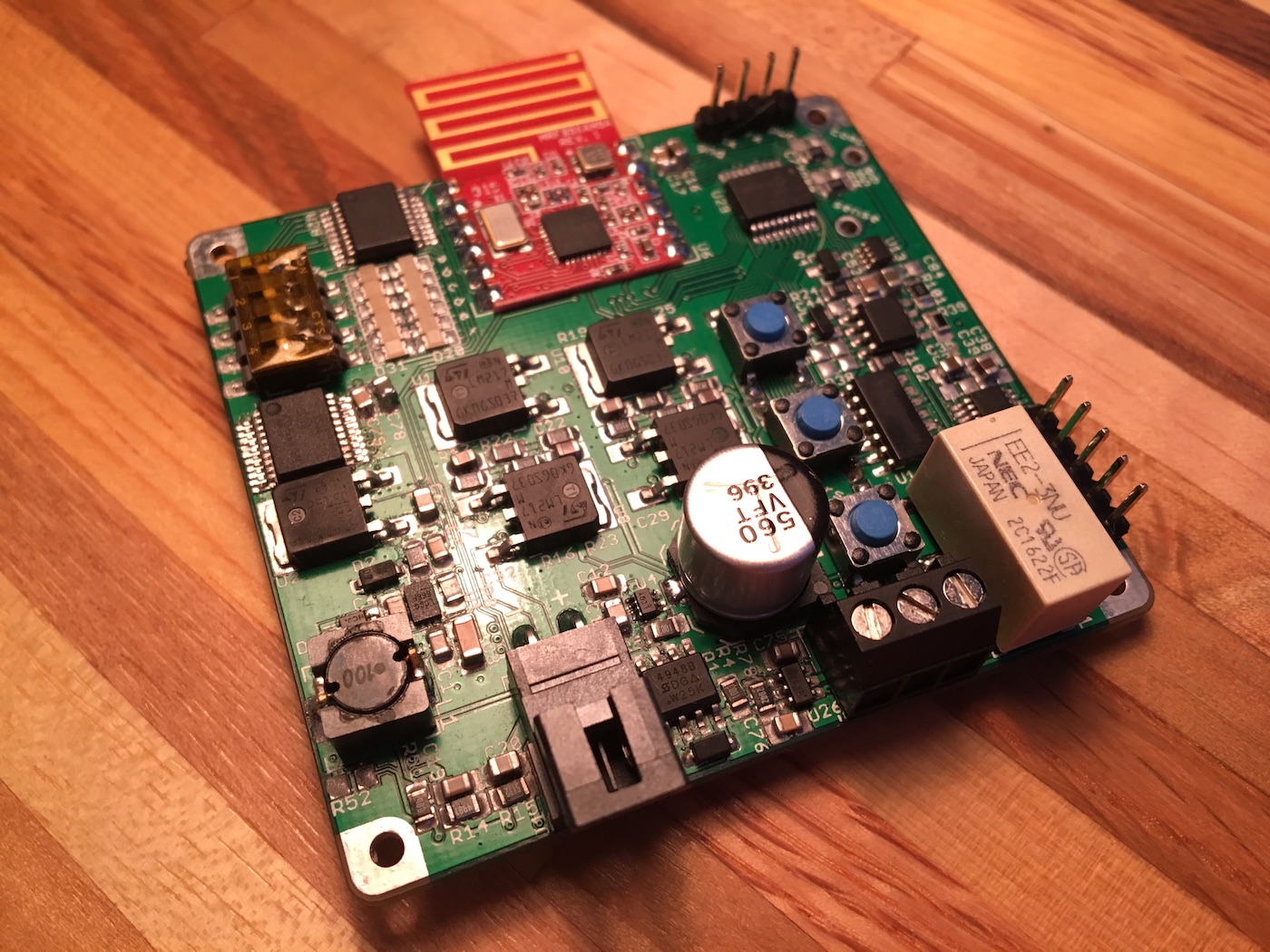
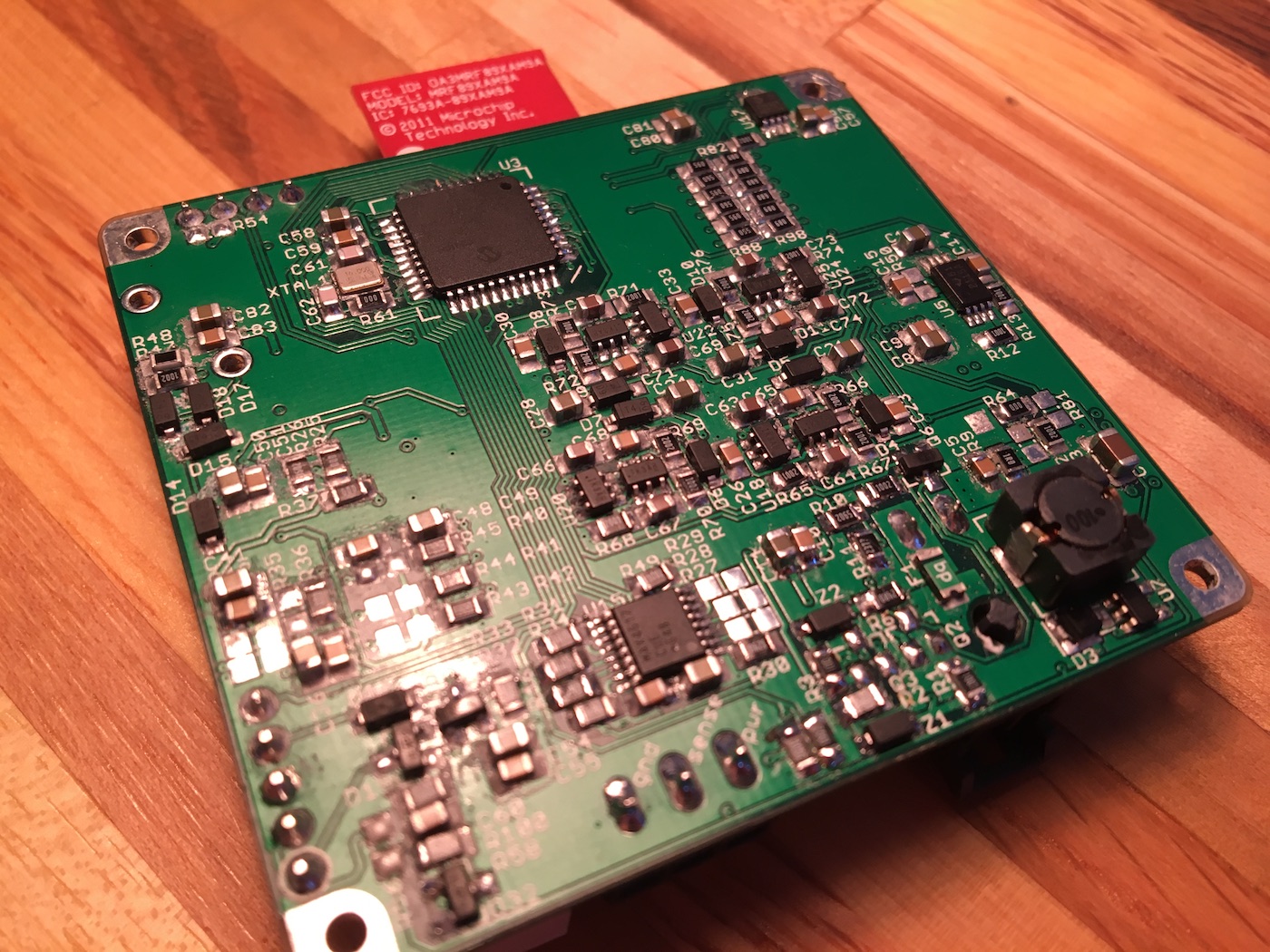
board software
I don't think I'm going to go much into the particulars (line by line) of the code I wrote for the sensor boards here. Though I will say I am very proud of how clean the code was in the time crunch situation I wrote it in. I abstracted away almost all of the hardware and register settings into small libraries. I started with the SPI peripheral, and then built on top of that to abstract away the I/O expanders and the A/D converter. Eventually I abstracted away most of the analog sensor front end to the point where I could set a voltage division ratio by calling: afe_set_voltage_division_ratio(AFE_DIVIDER_RATIO_OPEN);
Getting the boards to work was quite a task. I spent a lot of hours with them on my desk in this configuration:
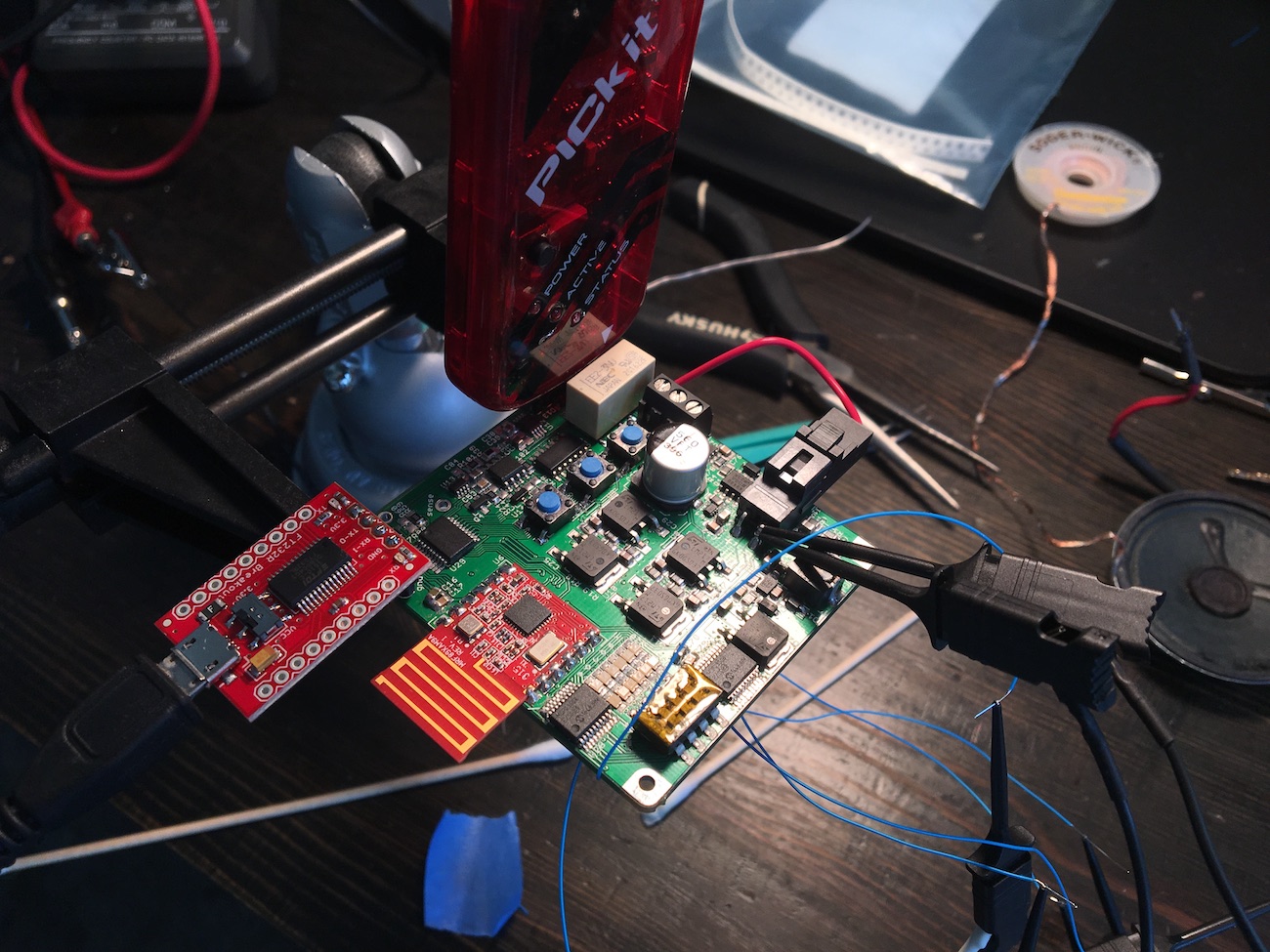
The most exciting moment was probably when I brought my code that I had written for the sensor interface boards together with the software that Evan had been writing for the control board. Here's the first time we got a voltage reading to transmit over to the central board.
Here's really the first time our design goal was completed. In this video the sensor (in this case a potentiometer's wiper voltage) is being read, transmitted wirelessly to the central control board, where it is relaying it to an OBD-II dongle over the CAN bus, which relays the information to a smartphone.
design issues, lessons learned
There's lots of these. This was the most complicated electronics project I've ever worked on, and while our solution was somewhat complicated by me in a desire to make a generic solution, I am happy I made it hard on myself since I learned so much in the process. However, my design was not without fault, and I caused a lot of headaches with some simple mistakes, so I thought I'd cover those here.
part/library management
I should have added a lot more metadata to each component to make the ordering process easier. We burned a lot of time going back over parts that had been picked weeks before trying to figure out which one was meant to be ordered. Some parts made this particularly difficult. A few TI parts are identical except for a different letter at the end of the part name which signifies a newer or older part, even though both parts may still be actively produced. I'm not sure this can be remedied for every part without spending a large amount of time. At past jobs, each capacitor and resistor value is a different package in the library, each associated with a part number from the manufacturer. I could have done this for the larger parts though.
incorrect relay package
This is a simple one, I didn't realize the part in the relay datasheet which noted the pinout was as seen from bottom. As the relay had two poles, symmetric down the middle of the package. However, it does matter the polarity in which the relay is driven, if the primary side is energized in the wrong polarity it simply reinforces the resting state of the switch. To fix this, we soldered a few relays upside down with little pieces of wire draping down and connecting to the pads.
incorrect calibration logic
The relay was useless anyway, as I didn't fully think through the calibration idea that I had. If even the lowest current source is enabled when the sensor is disconnected, and I have a 0 ohm jumper as one of the tails of the voltage divider (to ground), then the current still passes through a fixed 499k resistor. At a microamp of current this creates a half a volt. This would work to calibrate the lowest current source, but as soon as the next order of magnitude of current is selected (10 microamps) the output jumps to a half of a volt, which is outside the input range of the A/D converter. So, this means only the lowest current source can be calibrated.
To fix this a smaller resistor would have to be picked as the top of the voltage divider, but this has other issues, such as loading down the output of the sensor. So more work would have to be done here for this to be a great idea.
bad voltage buffer buffer design
If you'll note in this schematic, if none of the open drain buffers are enabled, then the noninverting input of the voltage buffer is left floating. In the early stages of testing the board kept browning out in cycles after the boost converter was enabled, which brings up the 5V rail that powers the analog circuitry on this page. We spent a lot of time tracking down soldering issues with the boost converter before I realized that when no voltage division was enabled, and no sensor was connected, there was nothing pinning down that opamp input. The input capacitance of the opamp charged up over time, before it was buffering around 3.3V, which is then clamped to the 3.3V rail without any current limitation through D14.

I solved this by making sure in software that the boost converter wasn't turned on until at least one voltage divider was enabled or a sensor was connected to the board. A real fix would be adding some current limiting resistors to the clamping diodes D14 and D15.
backwards mosfet
I couldn't get the current source to work at first, and I scratched my head a bit until measuring the output of OP1A and realizing it was pegged at the rail, keeping the MOSFET fully on. I couldn't figure this out until I looked back at the schematic and realized that the drain and source of the MOSFET are in the opposite positions as needed. With the configuration shown in the schematic, as soon as the mux connects one of the resistors to the 5V rail the body diode is forward biased which then turns the MOSFET on. My quick fix for this was flipping the MOSFET upside down and rotating it into place on the board, bridging the gaps to the pins with some blobs of solder. Not pretty, but it made my current source work.
I/O expander bringup
I couldn't for the life of me get any I/O expanders to respond at first. I kept noticing very weird behavior on the bus. I hunted down shorts on the board for a while, which made the behavior different, but didn't fix the problem. It wasn't until I noticed in an app note for the expander that the addressing feature is disabled until a register is set. Until the register is set, all I/O expanders respond as if their address pins are tied to ground. So one of the first steps when the board turns on is to communicate to address 0, 0 and enable addressing, after which each expander only responds to its specific address.
12V voltage divider
I really wanted to show that the sleep-mode that I had designed into the board was actually low power, except when I put the board into a sleep state by disabling the buck converter and putting the microcontroller into a sleep mode I was still seeing over a milliamp of current consumption on the 12V input. At first I thought it was an oscillator issue, so I spent a while making sure the microcontroller was switching from the external crystal oscillator to the low-power internal oscillator. It didn't seem likely that an oscillator was consuming an entire milliamp, and that was in fact the case.
It took me a bit of looking over the schematic to find the voltage divider I had placed to measure the battery voltage. Sitting between the 12V rail and ground was a 10k and 787 ohm resistor forming a divider. As soon as I removed the 10k resistor from the board (disabling the battery voltage measurement feature) the current was well into the microamps, and I was happy.
poor component selection
I tried to keep most of the components in an SOIC or TQFP package to keep the pins exposed, but for some reason I chose the most needlessly tiny parts for some of the most critical components, namely the buck converter and the low-current sleep power supply. These things were a complete pain to get soldered correctly with the tools we had at our disposal. The buck converter was especially tricky with it's tiny unexposed pads.
have margin, but not too much
One example here would be the sensor supply linear regulators. These things are huge, I think they have a maximum rated current of about 1.5A. One of the specifications for the sensors we had was not consuming more than 20mA. I could have picked a much smaller regulator.
overdesign
I mean, I'll be honest, all of the things this board did probably could have been done with much simpler hardware targeting the specific sensors, but generic-ness was a part of the design goals, so some of the complexity was necessary. However, the analog front end ended up being much more precise than the A/D converter could resolve and most of the sensors that we were interfacing with are low precision anyway, so the extra complexity probably was not needed. Taking a step back could have been useful, to determine what margins and accuracy was really needed (do I really need 0.1% resistors?).
results
In the end (the night before the expo), we got a wireless board wired up in my car to my existing sensor, transmitting oil pressure data to the central board. On our table at the expo we also had a resistive sensor and a pulse frequency sensor (a flow-meter measuring water flow in a jig that my teammate Kyle built), showing that we had gotten all three sensors working. All of the data was transmitted to a laptop using a Bluetooth OBD-II dongle. Here are some photos from the expo.
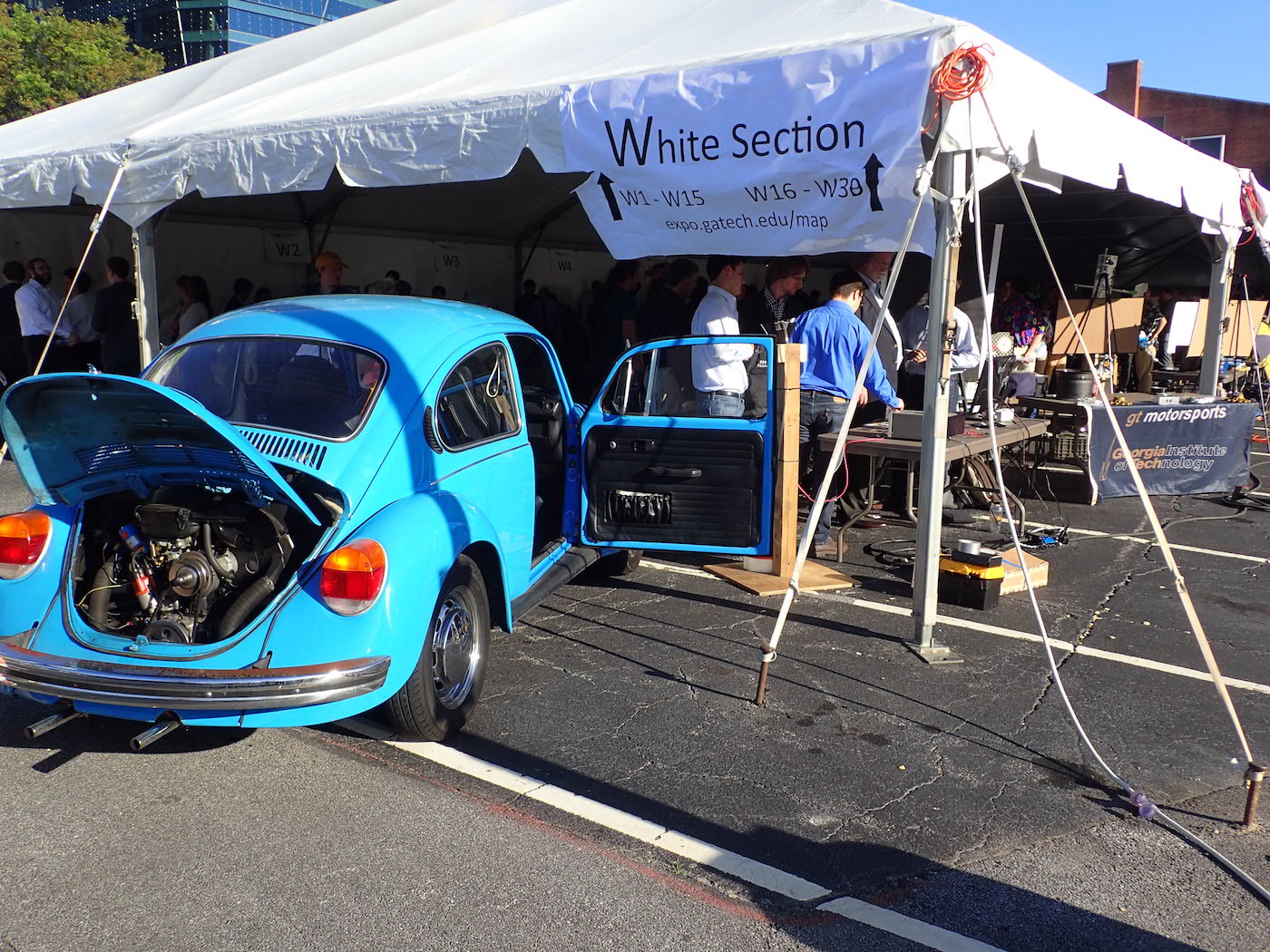
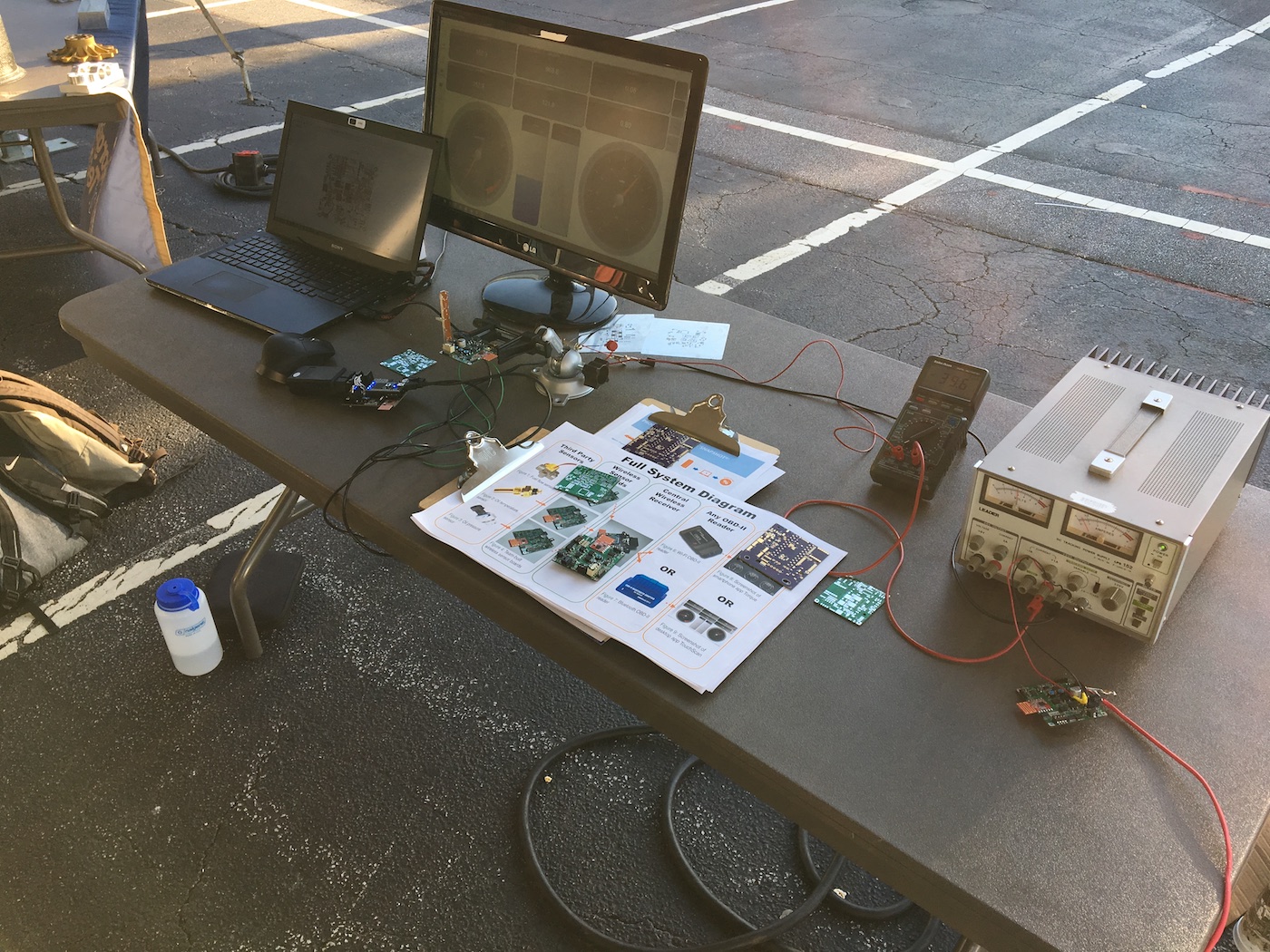
The judges seemed fairly impressed with our project, though I think a lot was lost on the non-EE judges. From first glance, the results of our project appear very simple. Stepping on the gas, increasing oil pressure, just makes a little dial on the computer screen turn. It's not really that interesting of a thing until you realize how much work went into the project, and understand how the solution can interface with any number of different sensors.
I think this is a great first start, and actually something that I would be interested in developing further with my team members. I can think of a lot of improvements to the hardware and software that would make it much more usable, but I think we'll be preoccupied with celebrating finishing our undergraduate degrees for a while.
Every undergraduate in the School of ECE at Georgia tech is required to take a two-semester senior design course. The first semester is mainly spent learning about topics in ethics, business, statistics and probability that are of use to those practicing engineering. Additionally, students select or create a project to complete during the second semester of the course. While there were some very interesting projects proposed by various professors and members of industry, I really wanted to work on my own project, not somebody else's. Me and a couple classmates met and I proposed working on a fuel economy estimator for vintage cars (that I could use on my vintage VW beetle). We proposed the project, found a professor that agreed to advise us, and submitted it for approval by the professors who run the ECE senior design course.
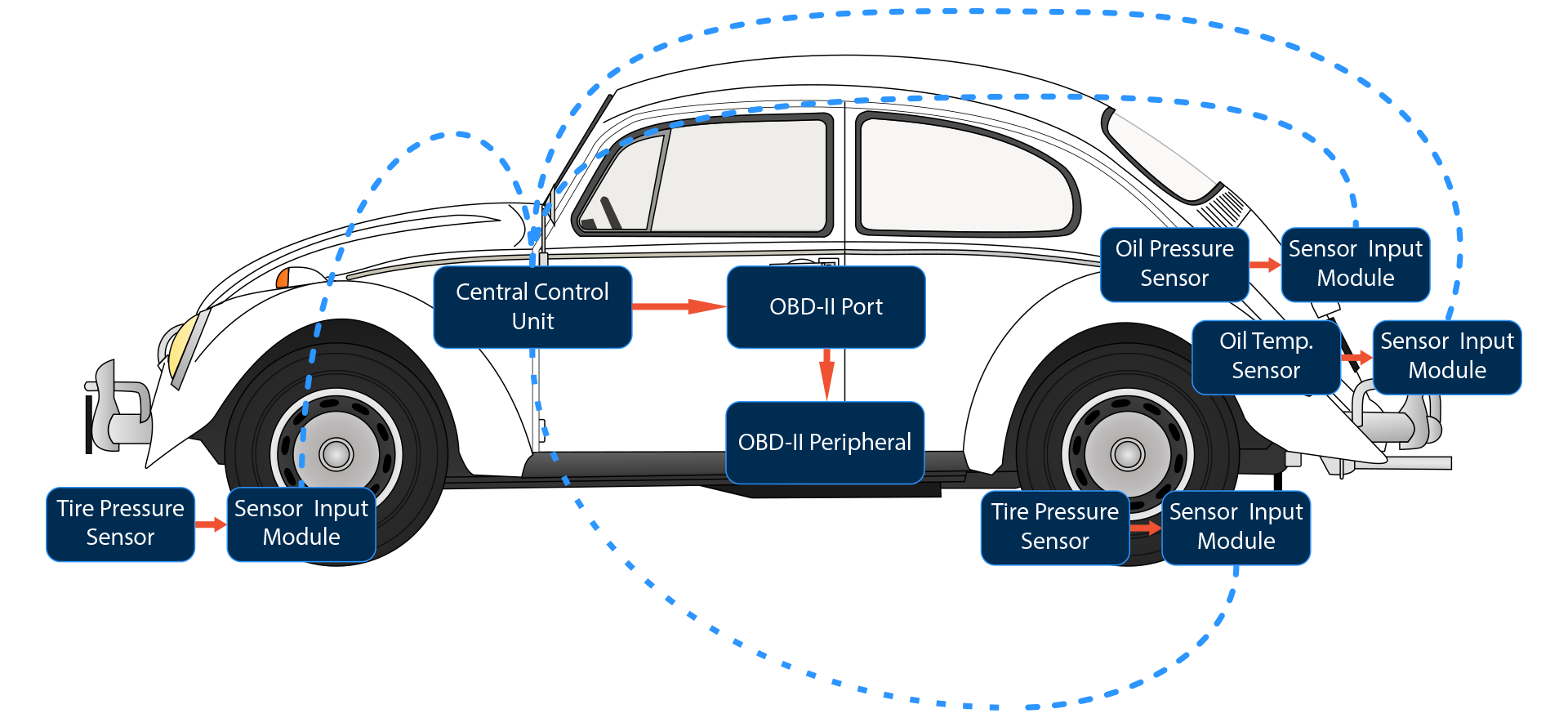
The idea went through a major change sometime near the end of the second semester which made it much more generic of a solution. We decided that we would make a generic sensor interface which wirelessly transmits car sensor data to a central "ECU" of sorts that would expose the data an OBD-II interface. This would mean that the sensors that were added to the car could be used with any off the shelf OBD-II peripheral, from insurance monitoring systems, to wireless Bluetooth gauge clusters and dataloggers. However, this meant that our solution would need to be able to interface with a multitude of sensors.
What resulted was the most complicated piece of electronics I've ever designed or built, and an extremely challenging (yet engaging) four months for me and my team. -- This entry is split into two parts. This covers the problem and the circuits I designed. The next part covers the board layout, construction of the boards, programing, and the end results. If you'd like to jump to that part, click here.
the problem(s)
While aftermarket gauges are very common addition to a large number of project cars, the data is "locked" into the gauge itself. This means that the only thing I can do with the data is read it with my eyeballs. Oftentimes the data collected from one sensor is not enough to tell a complete story. For example, low oil pressure can be an indicator of excessive main bearing wear, but the single datapoint of oil pressure = 20 psi reveals very little information as oil pressure can be highly dependent on oil pressure: as the engine turns faster, so does the oil pump, which increases oil pressure. For my VW, oil pressure should be roughly 10 psi per 1000 RPM. I have no way with my current gauge cluster to see this on a gauge or record the information, other than looking at the two gauges and doing the math in my head. Essentially, the main problem is there is no way to expose this data to any other interface to which it might be useful to record or use in different ways.
Another problem we wanted identified was the pain of wiring new sensors into a vehicle. While not a huge amount of effort, the routing of wires and installation of gauges may require permanent modification to the vehicle (drilling holes in the body or the dashboard) which may make some car owners (especially classic car owners) nervous to add sensors to their vehicle. We wanted to see if we could remove this necessary step in sensor installation.
the solution
We eventually settled on creating a wireless sensor interface that exposes the data over the automotive industry standard debug interface; the OBD-II port. Sensors would connect to modules that would be responsible for reading the sensor data. These would be easy to wire as twelve-volt power should be readily available almost everywhere in the vehicle that sensors need to be placed (mainly inside engine compartment), and would be located close to the sensor for minimal visible wiring. The sensors would then relay their information periodically to a central board which then communicates with any OBD-II peripheral that may be connected. To simplify the project and preserve its genericness, the "central control unit" would have no displays, gauges, or outputs, other than the OBD-II port. If the user wanted to see their oil pressure, then some OBD-II monitoring solution would need to be used with our board.
What's interesting, is that with our idea/solution, even though we had pivoted from the MPG estimation project, we could still estimate MPG by combining fuel consumption (using a flow sensor) and speed (using a rotary encoder on the speedometer cable, or a GPS module).
sensor interfacing
A difficult problem was identifying the common modes that automotive sensors communicate over. After extensive research, we settled on supporting voltage, resistive and digital (PWM and PFM) sensors. There are plenty more interfaces that were a bit more esoteric (bi-state current?), but we figured the three we chose were enough to cover a wide variety of sensors. We identified early on that we wanted to interface with my existing Speedhut oil pressure and oil temperature sensors (one outputs a voltage and one outputs a resistance), as well as a digital flow sensor we found.
Another problem was powering the sensors. While the resistive sensors wouldn't need to be "powered," the the voltage and digital output sensors would likely need to be. While I wish I had had enough time to prototype and build a continuously variable linear supply, I instead opted to just support four different common voltages, 1.8V, 3.3V, 5V and 12V.
design :: ccu
Though some particular elements of the design evolved during the circuit design process, I had the basic idea sometime in late January or early February. With that, I went into a frenzy with my group-mate Evan, I taught him the basics of Eagle so we could build the library together for the project, and we were off.
overview
The CCU is the simplest of the two boards I designed. There is some power supply protection circuity, and a pretty simple regulator setup. For this board we went with the mbed microcontroller board, since the majority of the software could be written before the boards were done by another member of my team. Connected to the mbed are two wireless transceivers, one for the 433MHz band and one for the 915MHz band, a CAN bus transceiver with some protection circuitry, and an SD card. There's also an RGB led (because why not), and two seven segment displays for a basic user interface to do board setup.
power supply input protection
A vehicle is a pretty nasty environment for electronics. Newer cars have relatively complex power conditioning circuitry, but in older cars there's likely nothing more than an alternator, a rectifier and the battery. I read a few papers which suggested load-dump conditions (lights turning on and off, etc) causing voltage spikes up to a hundred volts. Additionally, we wanted our boards to not fry when potentially plugged in backwards. I used this circuit I found in an app note from Texas Instruments entitled Step-Down Converter with Input Overvoltage Protection, and added an extra MOSFET (Q1A) at the input to protect against reverse power input polarity.
When the power is connected with the correct polarity, the body diode forward biases and the gate becomes biased below the source, which reinforces the FET on. When the supply is connected with reverse polarity, the body diode does not conduct, and the reverse polarity actually biases the FET further into a nonconducting mode. Zener Z1 (as well as Z3) protect the gate-source junction of the FET.
Q1B in conjunction with the two BJTs disconnect the entire board from th input when Z2 reverse biases. When Z2 goes into reverse breakdown and Q3 and Q2 conduct, connecting the gate of Q1B to its source, which turns Q1B off. If I had to do this again, I would instead build a input clamping circuit instead of an input "cutoff" circuit. To prevent the entire board going to sleep in an overvoltage condition, I slapped a big bulk capacitance after the cutoff circuit to hopefully keep the board alive during any transients.
The overvoltage condition output allows the microcontroller to sense when there has been an overvoltage condition so that it can potentially sleep any high-power devices to extend the time that the bulk capacitance can sustain the board. The jumper was there in case the protection circuitry didn't work at all (I hadn't worked out the bias resistor values before I sent the boards out), so I wanted an easy way to bypass the circuit entirely.

regulation
I used an LT3493 buck regulator from Linear followed by a linear regulator to provide lower power supply ripple. Most likely unnecessary, but it couldn't hurt. The buck regulator regulates the 12V input to 4.5V, which is then input to the linear regulator (an LD291 from STMicro). This keeps the power loss in the linear regulator to a minimum (as opposed to linear regulating the 12V input).
The only interesting thing about the use of the buck regulator is the diode-or gate which drives the shutdown pin of the buck regulator. The mbed drives the BUCK_ENABLE signal, while the keyed 12V line in the car (only present when the key is in the ignition/on position) drives the SWITCHED_SUPPLY_IN signal. The only way the board can be woken from sleep is when the driver turns the key on in the car. The first thing the mbed does on power-up is assert its buck enable line. The mbed monitors the switched supply line to determine when the key has been turned off, finishes any writes to the SD card, communicates to the sensor boards that the car is turned off, and then goes to sleep by de-asserting its buck enable signal.
Everything else is out of the datasheet for the regulator. I did add a zero ohm jumper resistor to the shutdown line so I could permanently enable the regulator in case the sleep feature didn't work. Actually, there's a lot of zero ohm resistors throughout the schematic. I used them whenever I was unsure at all if a feature was going to work. This let me be more sure that this first revision of the boards would be somewhat workable before the semester was over. There wasn't enough time in the semester to design, build, program, and test the boards, and then do a second revision. They had to work the first time.

CAN bus termination
At a minimum, the CAN bus must be 120 ohm terminated.
I did a little more than necessary, since the only other device on the bus will be the OBD-II peripheral, over a few milimeters of wire (as opposed to 50 devices over an entire car). The CAN transceiver I used (the SN65HVD23x from TI) has a VREF output, which is regulated to half the power supply voltage. This can be used to stabilize the common-mode voltage on the CAN bus. To do this, the termination is split and the reference voltage is connected in the middle. I also used a transient voltage suppression diode package that was intended for use in CAN bus transient suppression. Lastly, there are two capacitors which form an optional filter network in case the slew rates were to high on the bus lines.
There's also an empty symbol which holds the mounting holes that need to be cut out to mount the male OBD-II connector. I didn't want to solder wires directly into the board from the male connector (like is done here), so I added an additional connector to place behind the OBD-II connector (connector-ception), so that the OBD-II connector can be readily mounted and unmounted from the board.

wireless transceivers
There are two transceivers that we placed on the board. One operates in the 433Mhz band, and was really only put there as a "stretch" goal to get our board communicating with off the shelf tire pressure monitoring systems. The 915Mhz transceiver we used for communication between the boards. We used the MRF89XAM9A from Microchip. There's a myriad of these things available, and they all probably would have worked for what we needed them for, but I really like thorough documentation, and this module from Microchip had some of the best.
full ccu schematic
That's about all of the most interesting parts of the CCU board. The rest is pretty basic microcontroller interfacing stuff. I had to use an I/O expander to interface the seven segment displays and RGB LED. I actually found one that had PWM outputs so I could control the color of the LED. If you're interested in the whole thing, there's a PDF you can view here.
design :: wsb
The more complicated and interesting design was the board that interfaces to the sensors. There were some additional constraints here that made it much more interesting to figure out. As stated before the board needed to interface with voltage output, digital output and resistive output sensors, so a fairly complex analog front-end was needed to ensure accurate readings. I also didn't want to rely on the keyed ignition line being available throughout the car, so the power supply needed to have a very low-current sleep mode as well that could be enabled by the microcontroller.
power supplies
The same protection, buck and linear regulator are present from the CCU, but I placed down an additional low-current linear regulator (10mA maximum) which linear regulates from 12V down to 3V. To get the board to consume very little power during sleep, I used an auto-switching power multiplexer from TI. This muxes two power supplies, always switching in the one that is at a higher voltage. Every IC on the board other than the microcontroller is powered from the main 3.3V linear regulator, so when the microcontroller puts the buck to sleep, the 3.3V supply falls to 0V, the and mux switches in the 3V supply to keep the microcontroller alive when as it goes into a sleep state.
Every so often the microcontroller wakes up, listens for incoming packets from the CCU board, and if nothing is heard within a few milliseconds the board goes back to sleep for a few seconds. This reduces the average sleep current to microamps, instead of 50+ milliamps. This took a bit of work to get functioning, but I'll cover that later.

I didn't have enough time to design and build an adjustable power supply to power the sensors, so instead I took the brute-force approach and placed four linear regulators on the board, each at different output voltages: 12V, 5V, 3.3V and 1.8V. As the battery voltage in the car may at times be below 12V, to be able to rely on the 12V source, I needed to boost a bit above the input voltage to ensure there was always enough headroom to linear regulate to 12V. I placed a boost converter from Micrel (MIC2288) on the board to boost to 14V, which powers the 12V and 5V linear regulators. I used the common LM217 for the linear regulators.

sensor supply mux
We wanted to allow the microcontroller to pick which supply it powers the sensor with, so that the user can setup the board via software or DIP switches for different sensors that may require different supply voltages. I found this part from Vishay, the Si3865DDV, which is essentially a p-channel MOSFET switch with a n-channel MOSFET to drive its gate. This allows for a low-voltage control of a higher voltage. Since the output of each switch is chained together and connected to the sensor, two of these parts need to be used back to back to switch each supply. This prevents the body diode of the high-side p-channel MOSFET from reverse biasing, and shorting the regulators together. I added a final "gate" switch which can disconnect the sensor power supply with one signal.
There are some optional resistors which form a low-pass filter network with the 1000pF caps to control the slew rate on the output of the switch.

analog front-end
This is where I spent most of the time. I wanted to have a way to measure a large range of resistances and a large range of voltages, as well as support digital inputs. After stumbling upon a few vintage app-notes that covered building simple multimeters, I took what I could and cobbled something together that could be controlled from the microcontroller.
While I could have picked the highest input voltage that would be expected from a sensor (12V from a 12V sensor), and then used a fixed voltage division ratio to divide the voltage down within the range of the A/D converter, this would mean that 1.8V sensors would only be utilizing a very small portion of the A/D converter's conversion range, which felt like a sloppy solution. I created a variable division ratio voltage divider by using a hex-buffer (a 74xx series part) with open-drain outputs to ground the tails of the dividers. To enable a new division ratio, the driver pulls the tail of the specific resistor to ground. In theory, multiple resistors could be placed in the tail of the divider at once to enable higher granularity, but for the time being I decided to pick ratios that would stay enabled for the entirety of the range of the input.
I picked the MAX1117 A/D converter. It was minimalistic, and I liked that it had an internal reference and two channels. It seemed foolproof, until I later realized that it wasn't 12 bits, it was 8 bits. I picked it specifically because I wanted a 12 bit converter (the built in converter of the microcontroller was 10 bits, so I was purposfully going with an external A/D to gain the extra resolution). I didn't realize this until we were assembling the boards, a big mistake on my part, and made me a bit upset as I put so much effort into the design of the circuitry in front of the converter.
To measure resistance, I built a fairly simple current source. Opamp OP1A drives MOSFET Q4 in an attempt to hold the voltage after the resistors (R27 through R34) equal to the voltage at the noninverting input. This voltage is set by a 1.25V shunt reference (biased by R26). This means a 1.25V drop is held across the resistors on the high-side, which are all powers of 10 times 1.24. This means each magnitude increase in resistance decreases the current by an order of magnitude. The resistors are muxed on the high-side by a MAX4617 mux. There are some additional passives for optional low-pass filtering of the feedback path which might have been needed if there were parasitic oscillations in the current output.
To make a resistance measurement, the current source is enabled with the lowest output setting, this creates a voltage across the sensor. This voltage is measured, and the microcontroller determines if increasing the current further will create a voltage across the sensor that is out of the input range of the A/D. If not, the current is increased to create a larger voltage across the sensor to reduce the effect of noise on the measurement. During a current measurement, the voltage divider network is disabled such that all current is sunk through the sensor.
OP1B is a simple buffer which isolates the sensor from the input to the mux. Probably not necessary, but good practice. The opamp has much lower input current (in the femptoamp range) compared to the A/D converter. There's an optional lowpass filter network on the output of the buffer, which probably should be buffered as well, but I wasn't expecting to have to use it.
The relay was an idea I had that would allow for the current source to be calibrated by the voltage divider circuitry. One of the voltage dividers could be enabled, the sensor disconnected from the input (using the relay), and the current source enabled. Thus the voltage would be developed across the two series resistances in the voltage division circuit. There's a simple MOSFET to drive the primary side of the relay and a diode to suppress the inductive kickback of the coil as it discharges.
The LM7705 is a low-noise negative bias generator, which makes the buffer perform rail-to-rail. The buffer amp needed to be able to buffer voltages at the input up to around 2.048V (the reference voltage of the A/D converter). There was plenty of headroom as the opamp is powered from the 5V rail, but there would be problems buffering signals around 0V. This negative bias generator uses a charge pump to generate a very small negative voltage (around -0.23V) which extends the lower-end of the buffer's range past 0V, while not exceeding the maximum supply voltage of the opamp. In case this didn't work, there's a zero ohm jumper resistor that can connect the opamp to ground.
I'd never had to put a lot of effort into picking opamps before, so this taught me a lot. I ended up going with a rail-to-rail opamp from TI (the LMC6482). Selection was a little tricky as bandwidth wasn't super important. I was only planning on measuring the sensor data at about 10Hz or a little higher, and the only high frequency signals that would be buffered would be digital at fairly low frequencies (in the 10s of kHz range). Most important was the input current and input offset voltage. Input current needed to be low to avoid affecting the voltage division ratio as high input current would create measurement error by "sucking" current out of the middle node. Input offset voltage needed to be low as the opamp was not AC coupled (an AC coupled DC buffer stage would be quite useless).
There are diodes before and after the buffer stage for added protection of the opamp and the A/D converter. The second channel of the A/D converter is used to measure the battery voltage in the car, with a fixed divider followed by a clamp.
Lastly, I connected the internal adjustable voltage reference inside the microcontroller back into the comparator that's built into the microcontroller. By comparing this reference voltage with the output of the sensor, digital signals that are small in magnitude to be measured by adjusting the reference voltage. I also added some hysteresis to the comparator as well. This could clean up some noisy edges that may be present in PWM/PFM input signals.
I think that covers this whole schematic page.

extra I/O
Even though I picked a microcontroller with a large amount of I/O pins, I still ran out. I added three MCP23S08 I/O expanders from Microchip. One controls the four pairs of power supply output load switches and reads the state of a 4-position DIP switch. Another controls the open-drain output buffer and interfaces two pushbuttons. The third is a 2x6 LED matrix. One column of green and one column of red. What's interesting about these I/O expanders is that they share a chip select signal, and then have a 2 bit address which is used to discern between each device. So it's sort of like a weird SPI/I2C hybrid thing.

misc
The rest is boring microcontroller implementation and some other small parts, such a temperature sensor and some connectors. I used the same microcontroller as I did in my PCB business card, just in a larger package. I was already familiar with it and didn't want to risk trying something new on a project where I was already doing so many things I wasn't 100% sure would work.
The full schematic is available here.
02/28/2017
moog music hackathon 2017
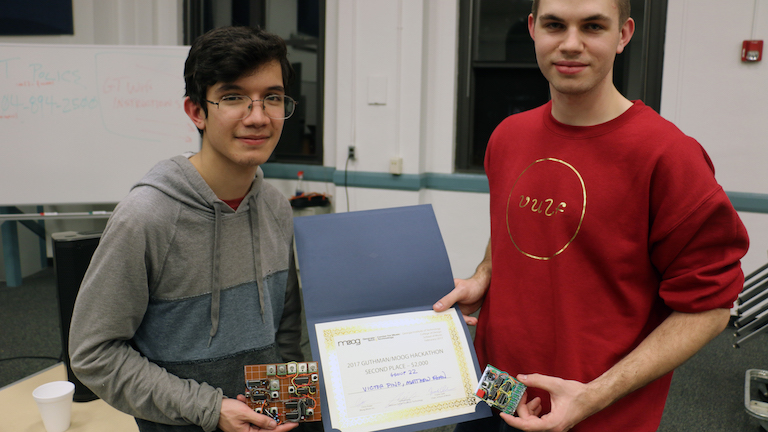
I recently participated in 2017 Moog Hackathon with my great friend and synth/electronics genius Victor. Before I write anything here I'd like to make it clear that Victor really carried most of the weight for the team, and while I built some circuitry of my own that I was pretty proud of, Victor's ideas and performance chops are probably what won us the second place prize. He's been building synths and making crazy noises since high school, some of which are documented on his YouTube channel. He's also recently been doing some shows under his Root Locust moniker, there's a track you can listen to on Bandcamp.
hackathon objectives
Moog distributed to every team their semi-modular Werkstatt-01 synth to hack around. The semi-modular nature of the synth allowed for teams to interface with the synth using control voltages (CV) to control certain synthesis parameters. The judging was based on three criteria: conduciveness to musical expression, technical complexity, and artistic presentation. A lot of hacks focused on creating a completely new instrument in the classical sense, creating a new interface to "play" the Werkstatt. Victor and I were interested instead in enabling the Werkstatt to make completely new sounds through the use of analog circuits. So that's what we did.
what we built
The first two circuits I built were a peak and trough circuit, using Ken Stone's design. These were the first circuits I've ever built that were meant to modify audio, which made me regret not doing so earlier. I got pretty distracted making new sounds for about an hour or so after constructing them on my breadboard. After making sure they were in working order, I translated them onto a piece of perfboard that we were going to build all of our circuits on. I was pretty rusty at perfboarding, but I got better as the weekend went on.
These circuits are relatively simple but are really interesting to see work. Of N-inputs, the peak outputs the highest input voltage and the trough outputs the lowest input voltage. The circuits begin with either a diode-or or diode-and, and then are followed by a PNP or NPN emitter follower to reverse the diode drop or rise from the input. To reduce the emitter follower's beta-dependence a simple single-transistor current source is used to bias the emitter followers.
Victor built two designs based around Ken Stone's smooth and stepped generator and Grant Richter's analog tracking generator. What was most impressive is that while I was still trying to wrap my head around what each circuit did (let alone how they worked), Victor was busy modifying them to make them work with the components he had on hand. The sounds that Victor made blew mine completely out of the water, even when they weren't fully finished yet. Here's a video of one of the first things Victor got working, a random melody generator.
The last thing I built was a basic arpeggiator. I originally wanted to use a single 8-bit shift register, but I had none. I did however have four dual d-flip-flops. I wired up a classic 555 timer in an astable configuration to act as a clock source, along with a potentiometer to adjust the clock frequency. Each flip-flop output was wired to the input of the next, forming a chain of flip-flops. The input to the first flip flop was exposed on a female header socket. I mounted a pushbutton to the board to act as a gate output, which was also exposed on a header socket. The button could be connected via the headers, or the input to the first flip flop could come from another source (such as the Werkstatt).
The outputs of all of the flip flops were connected in a passive voltage summing configuration (eg. all connected to one another through a large series resistor). I could have buffered the output, but as most synth inputs are designed to be high impedance inputs, buffering is less important than it seems. Each flip flop output also lit up an LED. This let you see the bits "flow."
Here's a demo of the circuit when it was working on a breadboard. The oscilloscope shows the summed voltage output, which you can see "stepping" up and down. The input to the first flip flop is a gate output from the Werkstatt. When a key is pressed "ones" are shifted in. The output of the circuit is input back to the Werkstatt where it is used to modify the oscillator frequency.
Here's a video I took after the hackathon of the board I assembled. It's quite dark, and there's no sound. I might upload some more photos of the board later. The LED in the top left is the oscillator output and the LEDs on the right show the state of each flip flop output.
other performances + recap
Overall, I really enjoyed participating, even just getting to spend the weekend hacking away with a soldering iron was an enjoyable experience. It also gave me an appreciation for analog synthesis and some of the really interesting/elegant circuitry that is used to achieve strange effects. I'm really excited to start to play around a bit more with the Werkstatt I got to take home from the event.
I was also just blown away by the other hacks that were put together within the weekend and the other performances. There was everything from spinning platters to accelerometer-driven microphones and electronic bagpipes. I strongly suggest checking out some of the other groups in this recap of the event.